
Learn About Your Payment Options
Pay your policy premium using the installment plan and payment method that works for you. Learn about your options below.
Installment Plans
Pay your policy in full or choose an installment plan to fit your needs.
Available Plans
All plans offered at no additional cost.
Choose Your Plan When:
Click a plan to learn more:
Full Pay | Plan Summary
As simple as it gets. One payment for your full premium and you’re done.
First
Down Payment
100% of Your Premium
Due before your policy start date
Then
No Installments
–
Nothing more to pay
2-Pay | Plan Summary
Half now, half later. Pay the second half of your premium after 4 months.
First
Down Payment
50% of Your Premium
Due before your policy start date
Then
1 Installment
50% of Your Premium
Due after 4 months
4-Pay | Plan Summary
Spread your payments out. Make a down payment and pay the rest in three quarterly installments.
First
Down Payment
30% of Your Premium
Due before your policy start date
Then
3 Installments
23.3% of Your Premium
Due every 3 months
10-Pay | Plan Summary
Pay monthly for your policy. Enroll in Auto Pay, make your down payment through the portal, and your remaining monthly installments will be automatically drafted.
10-Pay with Auto Draft
First
Down Payment
15% of Your Premium
Due before your policy start date
Then
9 Installments
9.4% of Your Premium
Due monthly
Payment Methods
You may choose to submit your own payment, or it may be submitted by your mortgage escrow provider or your insurance agent on your behalf.
Pay Online
Submit your payment online using the Portal or Guest Pay.
Pay With
Bank Account
ACH/eCheck
or Credit/Debit Card
Nonrefundable Fee Applies
Portal
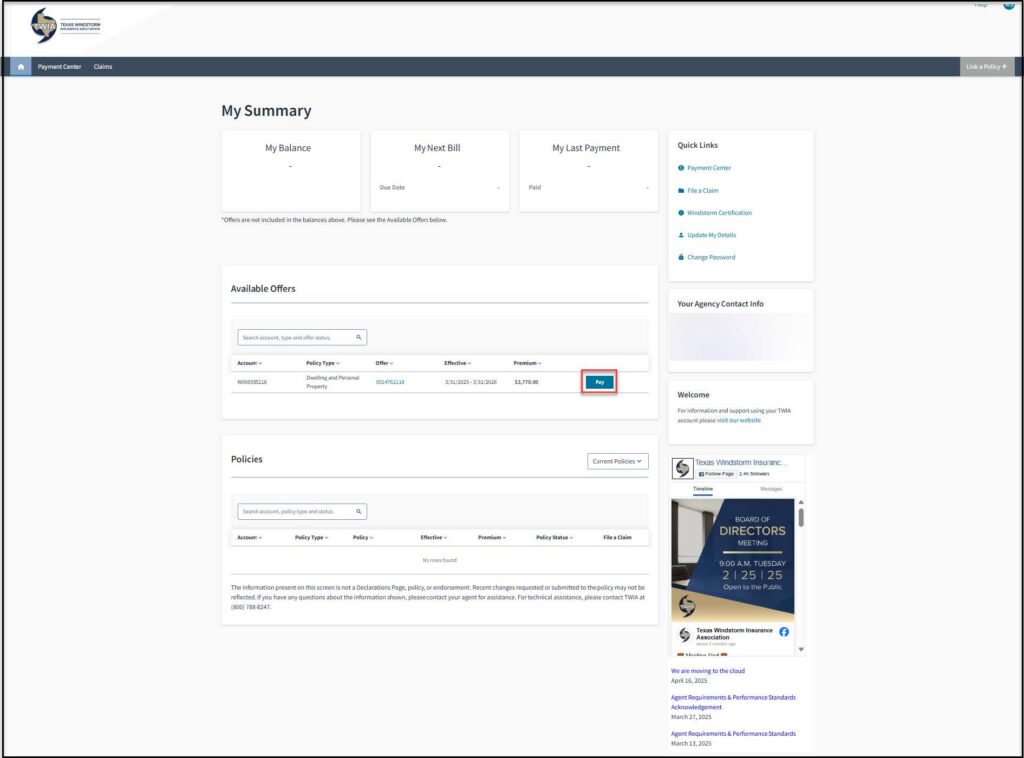
Use Portal to pay new policies, renewals, installments, and invoices. You can also enroll in Auto Pay.
You Can Pay
Features Included
Portal Payments
This service is available for all policy premium payment types. Need help making a payment? We provide a step-by-step guide.
Portal Preview:
Guest Pay
Use Guest Pay for installments and invoices (including policy changes) only.
You Can Pay
You Will Need
Guest Pay Payments
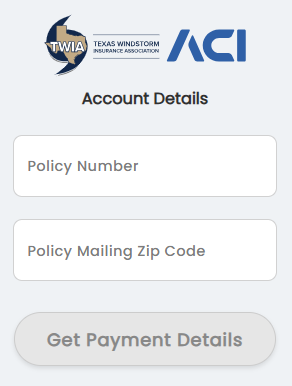
This service is not available for the first (down) payment on new or renewing policies. Need help making a payment? We provide a step-by-step guide.
Frequently Asked Questions
Why can’t I make the down payment in Guest Pay?
Guest Pay functionality will be implemented in a phased approach. The current release allows making payments on issued policies. Paying offers and renewal down payments will be introduced in a future release.
When will I be able to pay a down payment in Guest Pay?
We are always working to improve our systems, but we do not have a timeline on when this functionality will be added.
What is the “Amount Due”?
The “Amount Due” includes all currently billed and past due installments.
What is the “Total Unpaid Premium”?
The “Total Unpaid Premium” is the total remaining amount owed on the policy term. This includes the “Amount Due” in addition to future, unbilled invoices for the policy term.
Guest Pay Preview:
Pay By Mail
Payments sent by mail are processed using the date the payment is received by TWIA.
What To Include
Send To
Texas Windstorm Insurance Association
PO Box 843146
Dallas, TX 75284-3146
Pay By Phone
Not Offered
We are evaluating potential solutions for phone payments. We do not know if or when this option will be available.
Pay By Agent
Agents may submit payments to TWIA on behalf of their clients. Agents are not required to offer this service.
Contact your agent for details.
Pay By Mortgage Escrow
Your mortgage company may pay your TWIA policy from an escrow account that they manage on your behalf.
An escrow account holds money that is collected with your monthly mortgage payments to cover expenses such as property taxes and insurance premiums. Your insurance agent can provide more information about this option
